AI Tutorials
AI Video Client Workflow After Sora: A ComfyUI Delivery SOP for Cross-Border Ads
A practical AI video client workflow for cross-border ads: brief, Sora-era reference migration, ComfyUI adaptation, cost log, risks, and handoff.
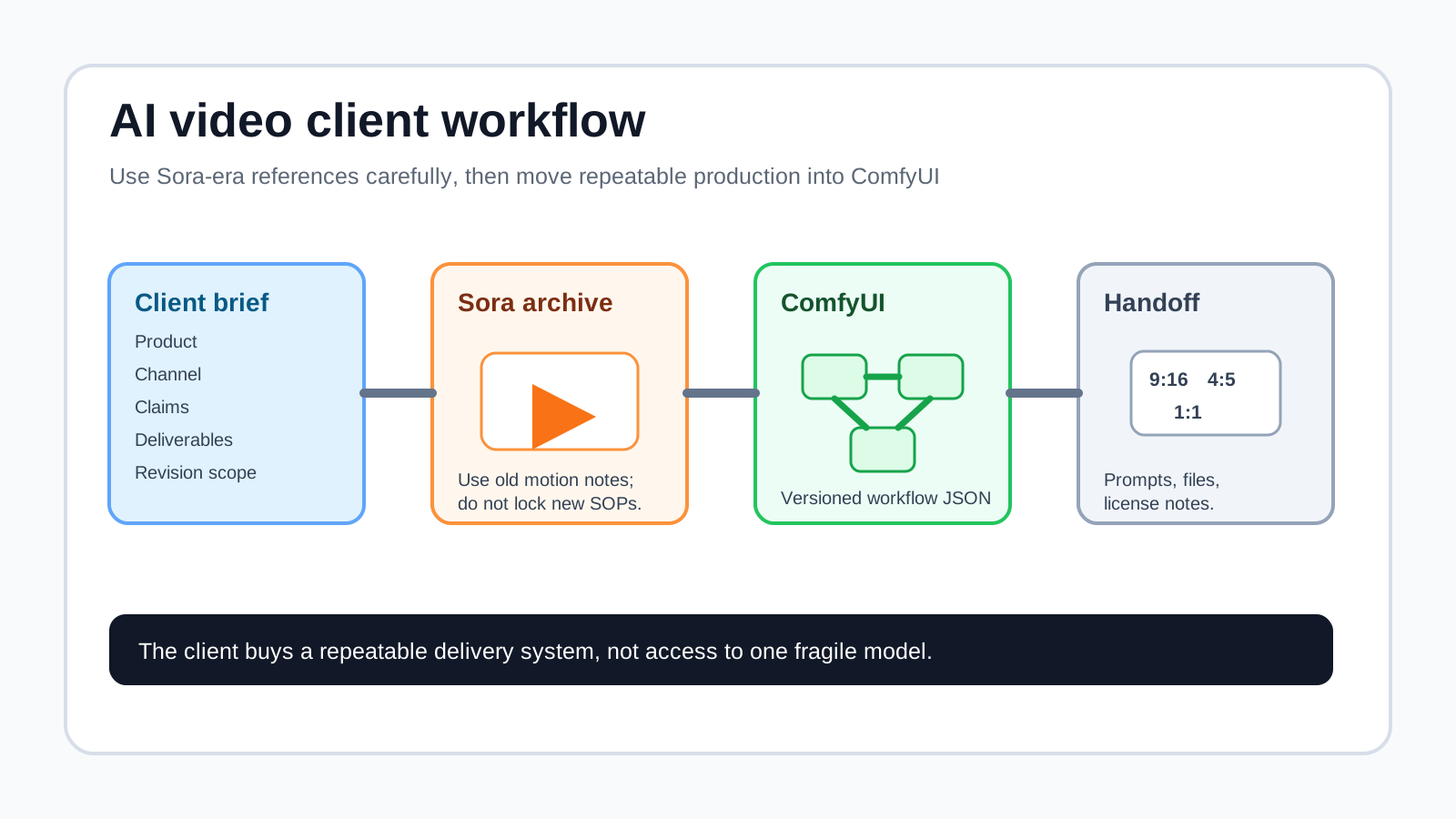
If someone searches for an AI video client workflow, they probably do not need another “make money with AI” listicle. They need a repeatable way to take a client brief, estimate cost, generate usable video directions, adapt assets for ad platforms, and hand over files without pretending that one model solves everything.
As of May 2, 2026, Sora web/app experiences are discontinued, and the Sora API is on an official sunset timeline. So this article does not recommend building a new client business on Sora access. Instead, it uses Sora as a migration case: a client may bring old Sora clips, prompts, or “make it feel like Sora” references, and your job is to turn that into a reliable ComfyUI and replacement-model delivery workflow.
Scenario note: this is not a claimed client case study. It is a reproducible test plan and delivery SOP; no conversion metrics, client revenue, or benchmark results are invented.
Start with the deliverable, not the model
For client work, the worst brief is “make this go viral.” Turn that into a small production contract before opening a model or ComfyUI:
| Brief item | Example |
|---|---|
| Product | Portable coffee grinder for the US and Canada |
| Channels | TikTok, Instagram Reels, YouTube Shorts |
| Key selling points | 30-second grind, camping-friendly, low noise |
| Deliverables | Three 9:16 videos, three covers, subtitle copy |
| Restrictions | No real-person likeness, no copyrighted music, no brand logos not owned by the client |
| Acceptance criteria | Under 15 seconds, hook in first 3 seconds, product visible by second 2 |
This framing separates the workflow into two jobs: Sora-era references shape motion and story rhythm; ComfyUI makes the visual system repeatable, editable, and safer to deliver.
The 3-day AI video client workflow
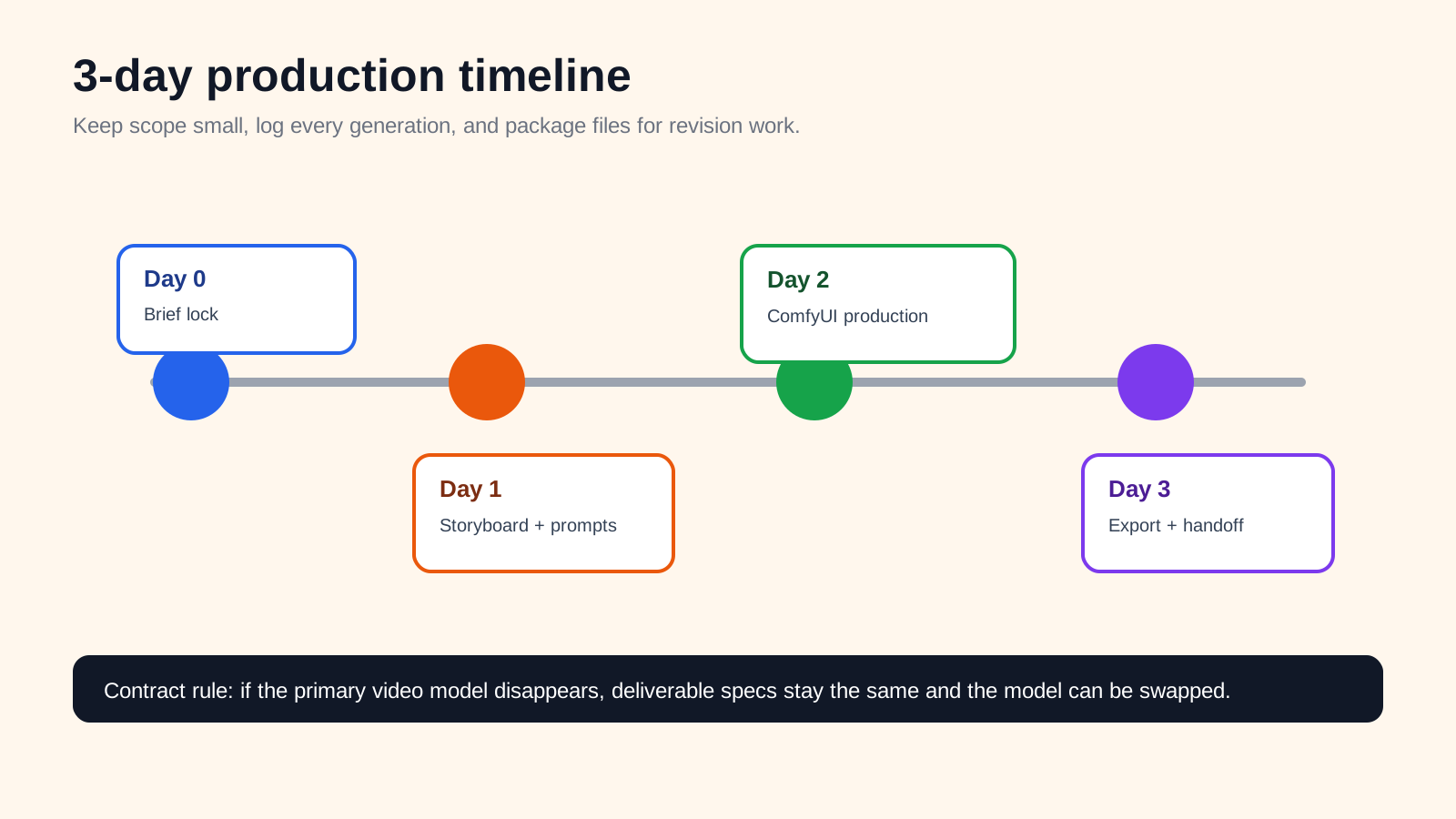
For a small cross-border ad package, the production timeline can look like this:
- Day 0 — Brief lock, 30 minutes: collect product images, forbidden claims, target markets, competitor ads, brand colors, and platform list.
- Day 1 — Storyboard and prompt plan, 2-4 hours: write six to eight short shots, each 2-4 seconds, before spending serious generation budget.
- Day 1-2 — Motion exploration: if the client has Sora-era clips, archive and deconstruct them; otherwise use a currently available video model and do not promise Sora access.
- Day 2 — ComfyUI visual control: create reusable workflows for product cleanup, keyframe styling, covers, subtitles, and aspect-ratio adaptation. ComfyUI workflows can be saved as JSON for versioning and handoff.
- Day 3 — Packaging and handoff: export 9:16, 4:5, and 1:1 variants; include prompt versions, workflow JSON, license notes, and revision boundaries.
Sora should be a reference layer, not the dependency
Sora’s historical value was motion exploration: camera moves, product reveals, environmental transitions, liquid or steam motion, and “what should this ad feel like?” prompts. You can still extract shot language from old prompts, clips, and storyboards, but do not write Sora into a new client SOP.
A reusable prompt can look like this, then be adapted to the current video model:
Vertical 9:16 product ad shot. A compact black portable coffee grinder sits on a camping table at sunrise. Slow dolly-in camera, steam from a metal mug, warm golden light, clean premium ecommerce style. No humans, no logos, no copyrighted music.ComfyUI should own the controllable parts: product cleanup, background styling, covers, subtitle-safe frames, crop packs, and repeatable exports. That way, even if the primary video model changes, the project structure and handoff do not collapse.
What ComfyUI should own
Build four reusable workflows:
| Workflow | Input | Output | Use |
|---|---|---|---|
01_product_clean | Client product image | Clean product cutout / controlled lighting | Product consistency |
02_scene_match | Product image + scene prompt | Keyframe / hero frame | Visual match to video shots |
03_ratio_pack | Clip or keyframe | 9:16, 4:5, 1:1 framing | Ad platform adaptation |
04_cover_subtitle | Main visual + copy | Cover frame and subtitle-safe version | Click-through and readability |
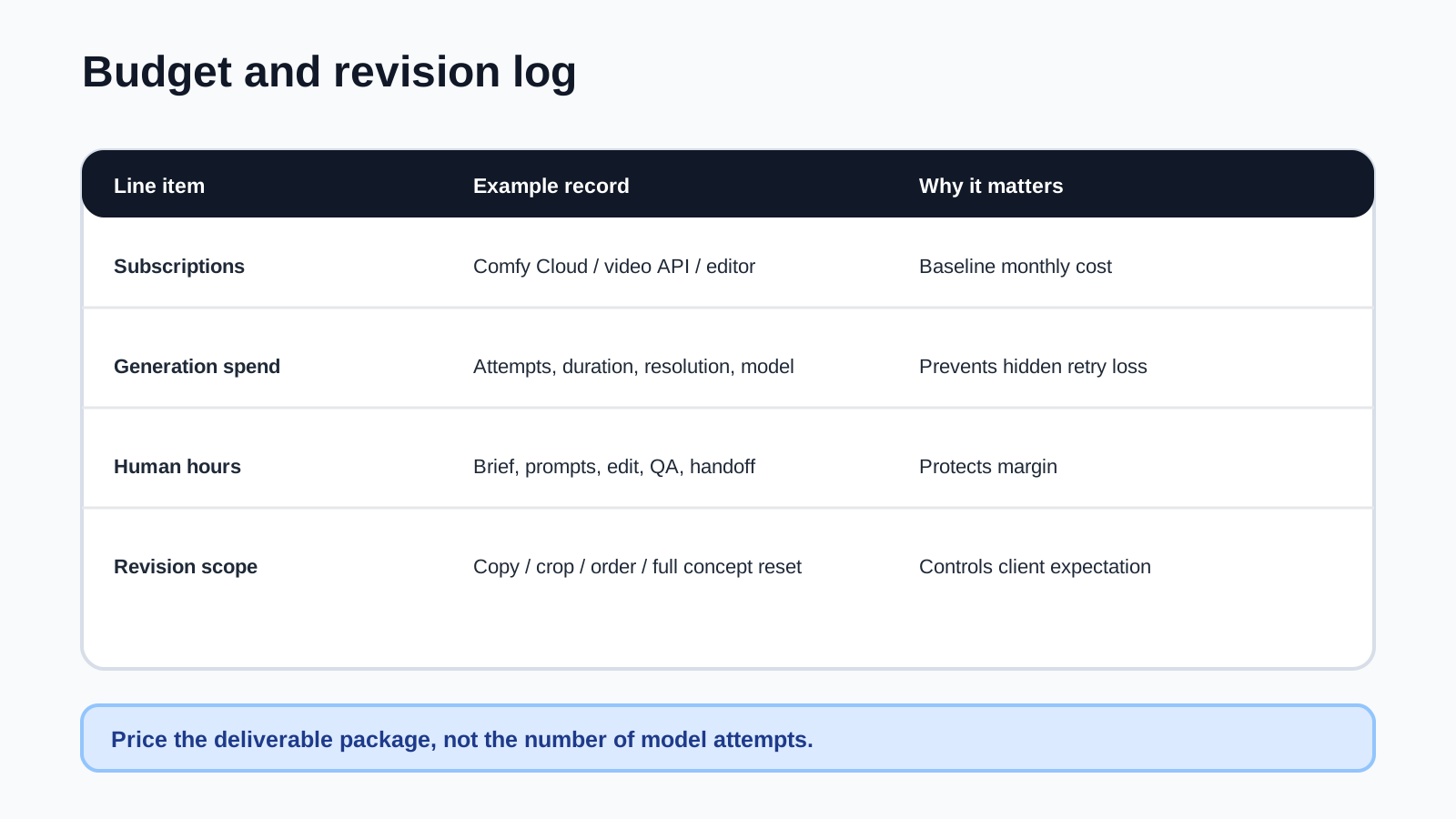
If you do not have a local GPU, use a cloud ComfyUI service or another managed workflow host. Track subscriptions, GPU credits, human QA, and revision time separately; “one generation costs X” is not a project budget.
Cost and pricing: sell certainty, not generations
For client work, do not price by “number of model attempts.” Price by deliverables and revision control:
| Package | Best for | Deliverables | Pricing logic |
|---|---|---|---|
| Test package | One product validation | One 9:16 video + one cover | One revision, limited scope, fast turnaround |
| Standard package | Small ad campaign | Three videos + three covers + subtitles | Two revisions, platform adaptation, organized handoff |
| Workflow package | Ongoing store creative | 10 videos/month + reusable ComfyUI template | Monthly retainer plus workflow maintenance |
Your cost log should include subscriptions, cloud GPU credits, human production time, and revision count. Contracts should say the “primary generation model may be replaced depending on availability; final deliverable specs remain unchanged.”
Platform delivery specs to plan for
A professional handoff usually includes more than one MP4. Google Ads Help recommends 1080p for video ads and lists 1920x1080, 1080x1920, and 1080x1080 as recommended HD pixel formats. Meta’s Reels ads page emphasizes 9:16 video, sound, and safe zones. TikTok’s official SMB creative tips ask creators to check full-screen 9:16 and at least 720p resolution.
A clean delivery folder looks like this:
/client-name/product-a/
  01_brief/
  02_prompts/
  03_motion_refs/
  04_comfy_workflows/
  05_final_9x16/
  06_final_4x5_1x1/
  07_license_notes/
This is not just organization. It makes future language swaps, subtitle edits, and seasonal variants easier to sell.
Risks to disclose before the client signs
- Sora availability: web/app is discontinued and the API has an official sunset timeline.
- Copyright: no copyrighted characters, copyrighted music, or client-supplied assets without usage rights.
- Human likeness: avoid real-person likeness unless the tool and the client’s releases clearly support it.
- Ad approval: health, beauty, finance, weight-loss, and other regulated categories need separate claim review.
- Revision scope: define whether a revision means copy, subtitles, framing, shot order, or a full concept reset.
Conclusion: the workflow is the product
The durable value in this AI video client workflow is not Sora alone or ComfyUI alone. It is the separation of motion exploration from production control. Sora-era clips and prompts can help define shot language; ComfyUI turns assets into a repeatable delivery system.
In 2026, the safest promise to a client is not “I use the newest model.” It is “I can turn your brief into a platform-ready video package, with source notes, versioned prompts, editable workflows, and a fallback plan.”
Sources
| URL | How it informed the article | Freshness |
|---|---|---|
| https://help.openai.com/en/articles/20001152-what-to-know-about-the-sora-discontinuation | Verified Sora web/app discontinuation and API sunset context. | Checked 2026-05-02 |
| https://developers.openai.com/api/docs/deprecations | Verified Sora-related API deprecation context. | Checked 2026-05-02 |
| https://developers.openai.com/api/docs/guides/video-generation | Used historical Sora API capabilities, async generation flow, restrictions, and prompting guidance. | Checked 2026-05-02 |
| https://docs.comfy.org/ | Verified ComfyUI positioning as an open-source node-based generative AI application. | Checked 2026-05-02 |
| https://docs.comfy.org/specs/workflow_json | Verified that ComfyUI workflows are represented as workflow JSON. | Checked 2026-05-02 |
| https://docs.comfy.org/development/cloud/overview | Verified Cloud API base concepts, API key usage, POST /api/prompt, concurrency, and subscription requirement. | Checked 2026-05-02 |
| https://www.comfy.org/cloud/pricing | Verified Comfy Cloud plan prices, credits, runtime limits, and active-GPU-time billing note. | Checked 2026-05-02 |
| https://support.google.com/google-ads/answer/13547298?hl=en | Verified Google/YouTube video ad recommended resolutions and aspect-ratio formats. | Checked 2026-05-02 |
| https://www.facebook.com/business/ads/facebook-instagram-reels-ads | Verified Meta Reels guidance around 9:16, safe zone, and sound. | Checked 2026-05-02 |
| https://ads.tiktok.com/business/library/Top_Tips_One_Pager_SMB.pdf | Verified TikTok creative checklist items for 9:16 and 720p+ resolution. | Checked 2026-05-02 |
Quality note
This article does not claim that POPMARS completed a real client project or ad test. Sora availability, replacement video models, ad-platform specs, and ComfyUI cloud pricing should be refreshed regularly. Diagrams are POPMARS-created SVGs and do not use real client assets or third-party copyrighted images.
Newsletter
Get practical AI workflows in your inbox.
A weekly digest of AI tools, workflow breakdowns, and reusable templates from POPMARS.