AI Tutorials
AI Video Subtitles Translation Workflow: Transcribe, Localize, QA, Export
A practical AI video subtitles translation workflow covering transcription, localization, subtitle QA, and SRT/VTT export.
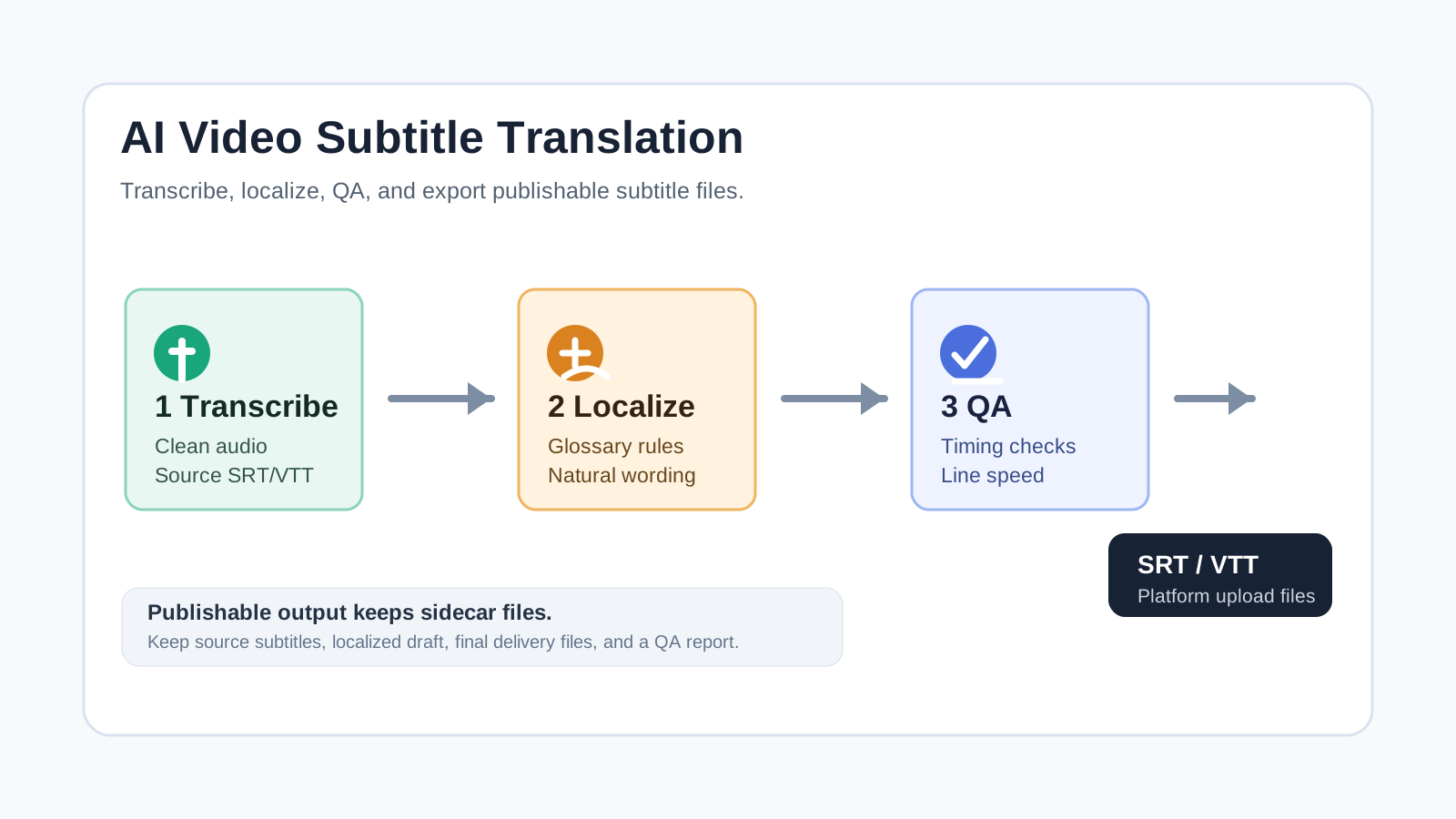
AI video subtitles translation is not a one-click “translate this file” job. A publishable workflow starts with an editable source transcript, turns it into localized subtitles with controlled terminology, then checks timing, readability, encoding, and platform requirements before export.
Use case: bilingual subtitles for YouTube, Vimeo, course pages, product demos, and owned media. The examples below are an editorial test plan until POPMARS runs them against an owned test video.
Start with the delivery target
Before choosing a model, decide where the subtitles will ship. YouTube’s caption help explains that subtitle files contain spoken text plus time codes, and it recommends simple beginner formats such as SubRip .srt or SubViewer. YouTube also lists WebVTT support, with limited styling. Vimeo’s help center supports SRT and WebVTT, recommends WebVTT, and requires UTF-8 encoding. The W3C WebVTT spec defines WebVTT as a timed-text format connected to media through HTML <track>.
A practical rule of thumb:
- YouTube: export clean
.srtfirst; avoid relying on styling that may be ignored. - Owned web player: export
.vttfor HTML5 text tracks, chapters, and cue-level settings. - Fixed visual subtitles: render a burned-in video version, but keep sidecar
.srt/.vttfor accessibility, SEO, and republishing.
Step 1: Transcribe first, translate later
The transcription stage should produce a reliable source-language subtitle file, not a polished translation. As of May 3, 2026, OpenAI’s speech-to-text docs list whisper-1 support for json, text, srt, verbose_json, and vtt, while gpt-4o-transcribe and gpt-4o-mini-transcribe support JSON or plain text. Amazon Transcribe can generate WebVTT and SubRip subtitle outputs alongside the regular transcript.
Recommended process:
- Extract a clean audio track: remove long silence, reduce noise, and normalize the format.
- Transcribe the source language first so names, numbers, commands, and UI labels can be checked before translation.
- Preserve cue IDs from this point forward; every translation and QA note should map back to the same segment.
- Human-check the audio for product names, people names, URLs, code commands, and homophones.
# Extract mono WAV audio for transcription.
ffmpeg -i demo.mp4 -vn -ac 1 -ar 16000 demo.wav
Step 2: Localize with a glossary
Subtitle localization has three constraints: terminology, tone, and length. DeepL’s glossary API documentation supports language-pair dictionaries and TSV entries, which makes it useful for locking brand names, feature names, and approved UI wording. LLMs can help rewrite awkward literal translations, but they should be constrained: keep cue IDs, keep timings, do not merge unrelated cues, and report risky lines separately.
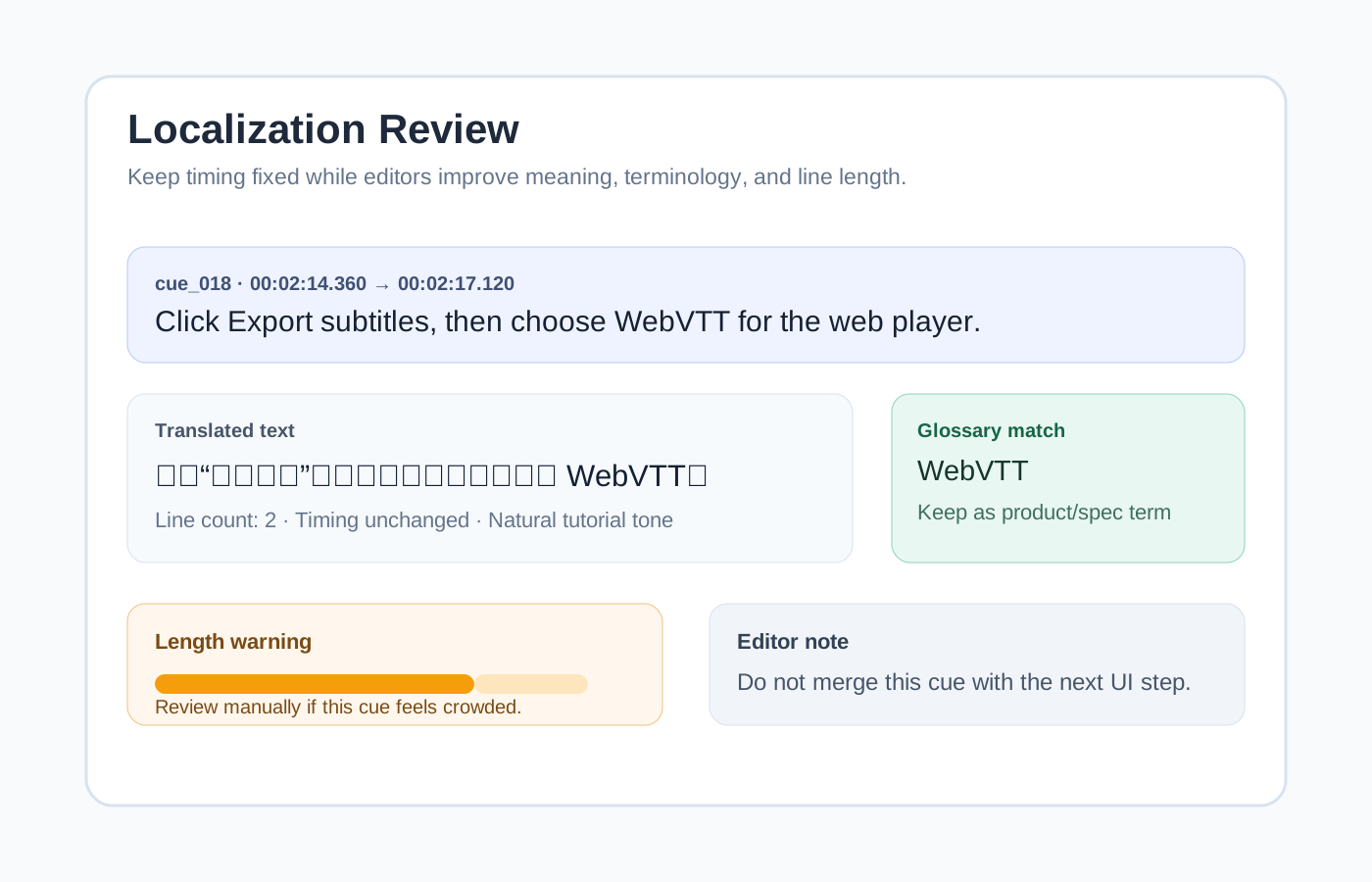
Reusable localization prompt:
You are a subtitle localization editor. Translate source_text into natural English.
Rules:
1. Do not change cue_id, start, or end.
2. Follow the glossary for product names, feature names, and UI labels.
3. Keep each subtitle to two lines where possible.
4. Preserve tutorial steps and button names; do not over-polish technical instructions.
5. Return a JSON array with translated_text and qa_notes only.
Step 3: QA for readability and uploadability
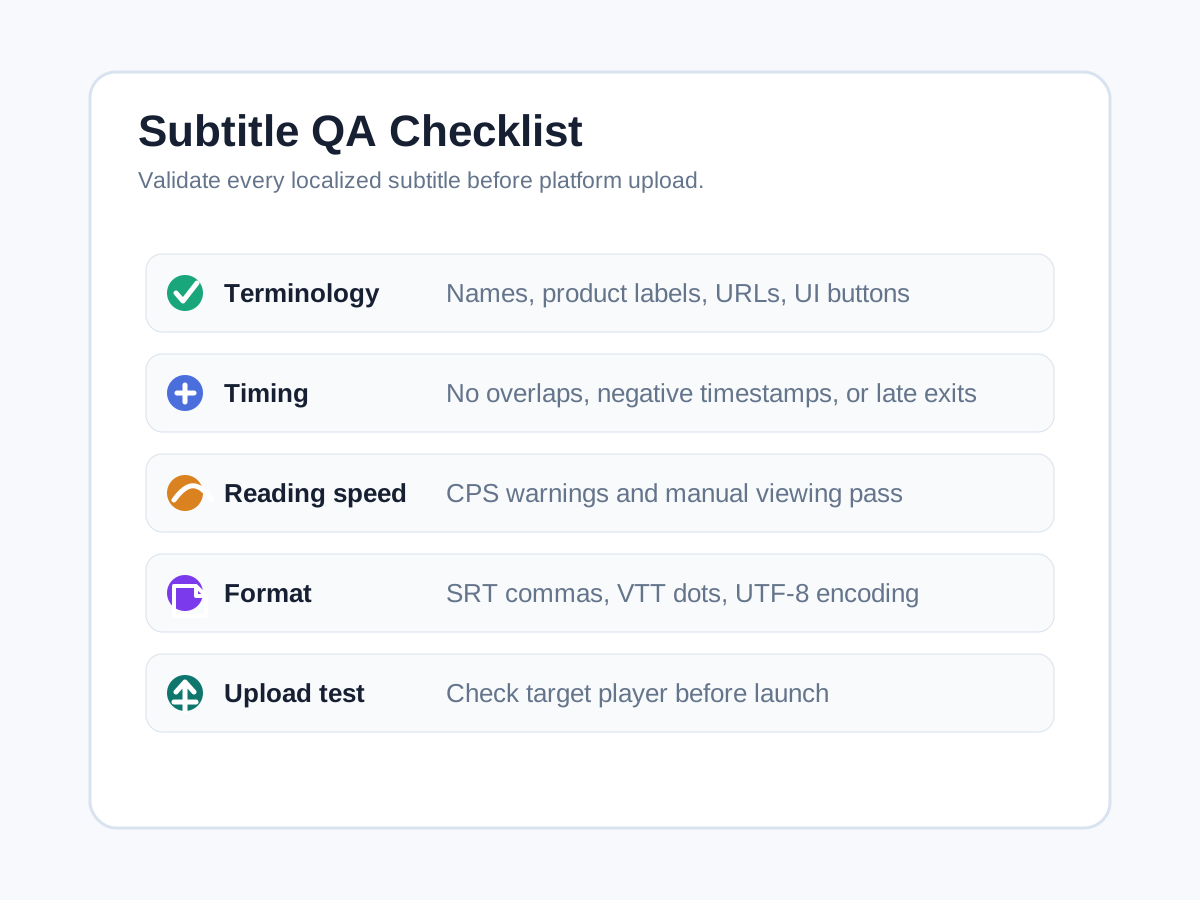
Subtitle QA needs four layers: text, timing, layout, and platform validation. Netflix’s English timed-text style guide gives useful engineering thresholds: 42 characters per line, up to 20 characters per second for adult programs, and up to 17 characters per second for children’s programs. These are not universal platform requirements, but they are strong guardrails for English subtitles.
QA checklist:
- Text: glossary matches, numbers, names, URLs, UI labels, and target-platform tone.
- Timing: no overlapping cues, no negative timestamps, no subtitle hanging too long after a shot change.
- Layout: two lines where possible; use 42 characters per line as an English warning threshold.
- Reading speed: calculate CPS for English; for Chinese subtitles, use a separate editorial threshold and watch the video manually.
- Platform format: SRT uses comma milliseconds, VTT uses dot milliseconds, files should be UTF-8, and uploads should pass the platform validator.
Step 4: Export separate working and delivery files
Do not deliver one file named final.srt. Keep source, draft, final, web, and QA artifacts separate:
source.en.srt: checked source-language subtitles.zh-CN.draft.srt: AI translation draft for editing.zh-CN.final.srt: human-reviewed delivery subtitle.zh-CN.final.vtt: web-player version.qa-report.md: terminology changes, unresolved names, upload test notes.
FFmpeg’s official format table lists support for SubRip and WebVTT across muxing, demuxing, encoding, and decoding. Still, conversion is not the same as delivery QA: sample the output in the target player because line breaks, styling, and embedded tracks can behave differently across platforms.
# Convert SRT to VTT, then manually spot-check timing and line breaks.
ffmpeg -i zh-CN.final.srt zh-CN.final.vtt
Availability notes for global teams
OpenAI’s supported-countries page is the control point for API availability and warns that access outside listed regions may lead to account restrictions. DeepL also maintains a country/region availability page for paid plans. For teams operating from mainland China or serving Chinese clients, tool access, compliant payment, data transfer, and asset permissions should be reviewed before production begins.
The safest workflow is boring on purpose: compliant transcription, a controlled glossary, human subtitle QA, official platform validation, and separate export files. AI accelerates the middle of the process; humans own publishability.
Internal links
- AI tutorials hub
- AI video client workflow after Sora
- AI video tools for ecommerce ads
- AI product image copyright checklist
Building bilingual tutorials? Use this workflow alongside the POPMARS article hub to plan language pairs, subtitle files, screenshots, and launch QA.
Sources
| Source | Checked at | Used for | Risk note |
|---|---|---|---|
| https://developers.openai.com/api/docs/guides/speech-to-text | 2026-05-03 | Model and response-format support for transcription and subtitle output | Model support can change; re-check before publishing |
| https://developers.openai.com/api/docs/supported-countries | 2026-05-03 | Regional availability caution | Country list may change |
| https://docs.aws.amazon.com/transcribe/latest/dg/subtitles.html | 2026-05-03 | WebVTT/SRT output and transcript workflow | Region and pricing claims are not made here |
| https://developers.deepl.com/api-reference/multilingual-glossaries | 2026-05-03 | Glossary and TSV entry workflow | Language-pair and plan limits should be rechecked |
| https://support.deepl.com/hc/en-us/articles/360020016339-Countries-and-regions-where-DeepL-paid-plans-are-available | 2026-05-03 | Paid-plan availability note | Country/region support may change |
| https://support.google.com/youtube/answer/2734698?hl=en | 2026-05-03 | YouTube caption formats and SRT/VTT guidance | Platform upload policies may change |
| https://help.vimeo.com/hc/en-us/articles/21956884955537-How-to-add-captions-or-subtitles-to-my-video | 2026-05-03 | Vimeo SRT/WebVTT support and UTF-8 note | Help-center UI wording can change |
| https://www.w3.org/TR/webvtt1/ | 2026-05-03 | WebVTT definition, HTML track, cue concepts | Standard is stable, implementations vary |
| https://www.ffmpeg.org/general.html | 2026-05-03 | Subtitle format support and conversion basis | Local FFmpeg version may differ |
| https://partnerhelp.netflixstudios.com/hc/en-us/articles/217350977-English-USA-Timed-Text-Style-Guide | 2026-05-03 | Line-length and CPS QA thresholds | Used as industry guidance, not a universal platform rule |
Quality note
Tool pricing, regional availability, model support, and platform subtitle specs may change. Re-check OpenAI, DeepL, YouTube, Vimeo, and FFmpeg docs before publishing future updates. The examples in this article are editorial test plans, and the images are POPMARS-owned diagrams rather than vendor screenshots.
Newsletter
Get practical AI workflows in your inbox.
A weekly digest of AI tools, workflow breakdowns, and reusable templates from POPMARS.