AI Tutorials
Kling AI Ecommerce Video Workflow: China-Aware Production, Costs, Limits, and Alternatives
A China-aware Kling AI ecommerce video workflow covering product-image prompts, VIDEO 3.0 credit costs, commercial-use risks, and alternatives.
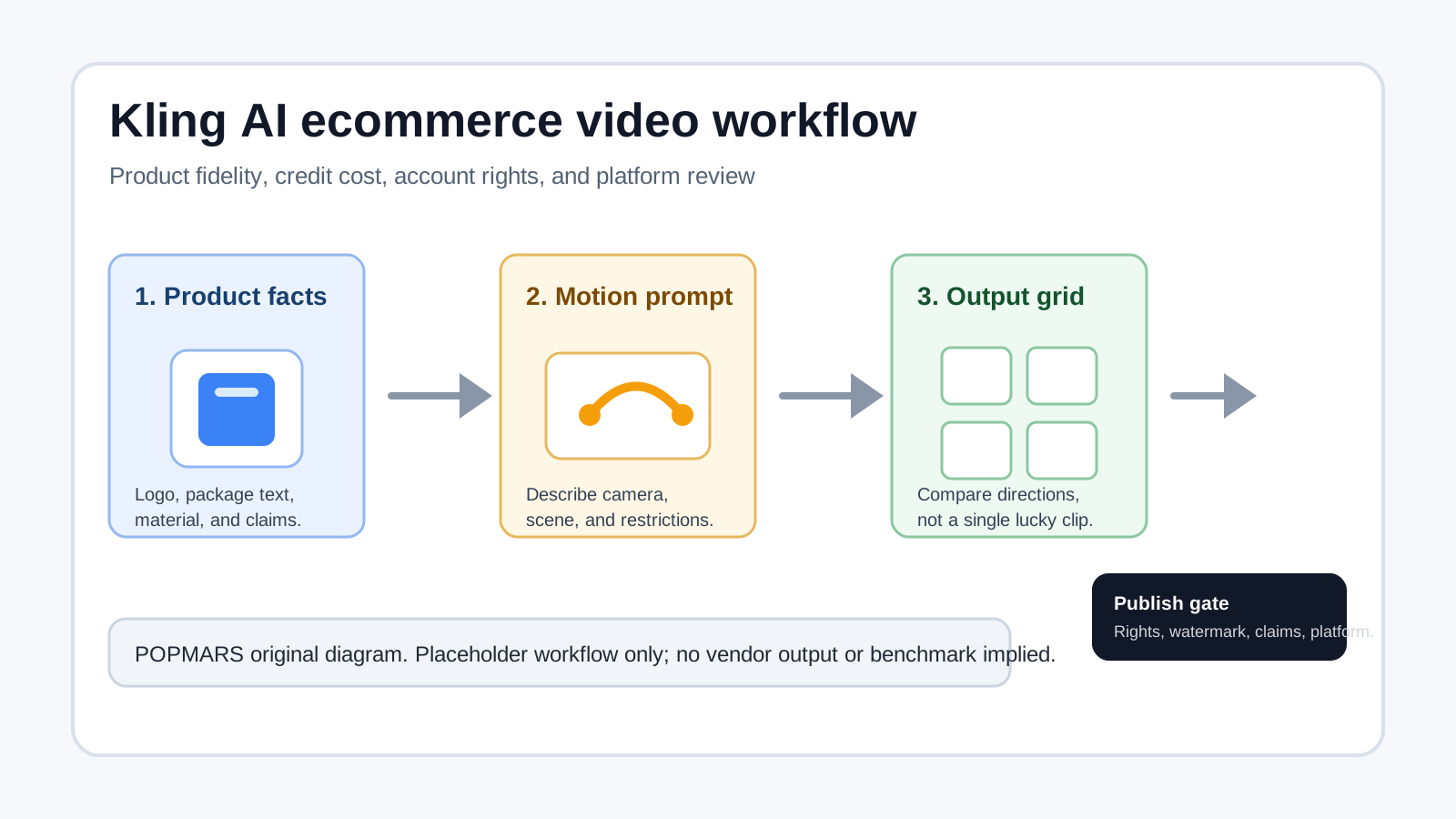
If you are evaluating Kling AI ecommerce video for a China-facing store, the real question is not whether a model can animate a product image. The practical question is whether your team can control product details, Chinese text, credit cost, and commercial-use risk well enough to publish assets on Douyin, Taobao, Xiaohongshu, Amazon, Shopify, or TikTok.
This guide is a publishing workflow and buying checklist. It does not claim that POPMARS has generated verified Kling outputs for a live product. All examples below are either an editorial test plan or a placeholder until POPMARS test asset exists.
Quick Verdict: Where Kling Fits
Kling is strongest for three ecommerce jobs:
| Ecommerce job | Fit | Why it works |
|---|---|---|
| Product-image motion | Strong | A clean product image can become a short tabletop, rotation, or product-display clip. |
| Chinese-market short video | Strong | Chinese packaging, Chinese selling points, and local short-video references are first-class use cases. |
| Batch creative tests | Strong | One SKU can be tested across multiple hooks before spending more on polished edits. |
| Final paid ad delivery | Needs review | Output rights, watermark/account rights, product accuracy, and platform rules still need manual approval. |
Kling should not be treated as a one-click final ad pipeline. AI video can distort logos, product geometry, packaging text, and factual claims. Kling’s public user policy also creates a commercial-use review point: ecommerce ads are commercial by definition, so teams should verify paid-plan rights, enterprise terms, or written permission before using outputs in paid media.
Workflow: Product Image to Ecommerce Clip
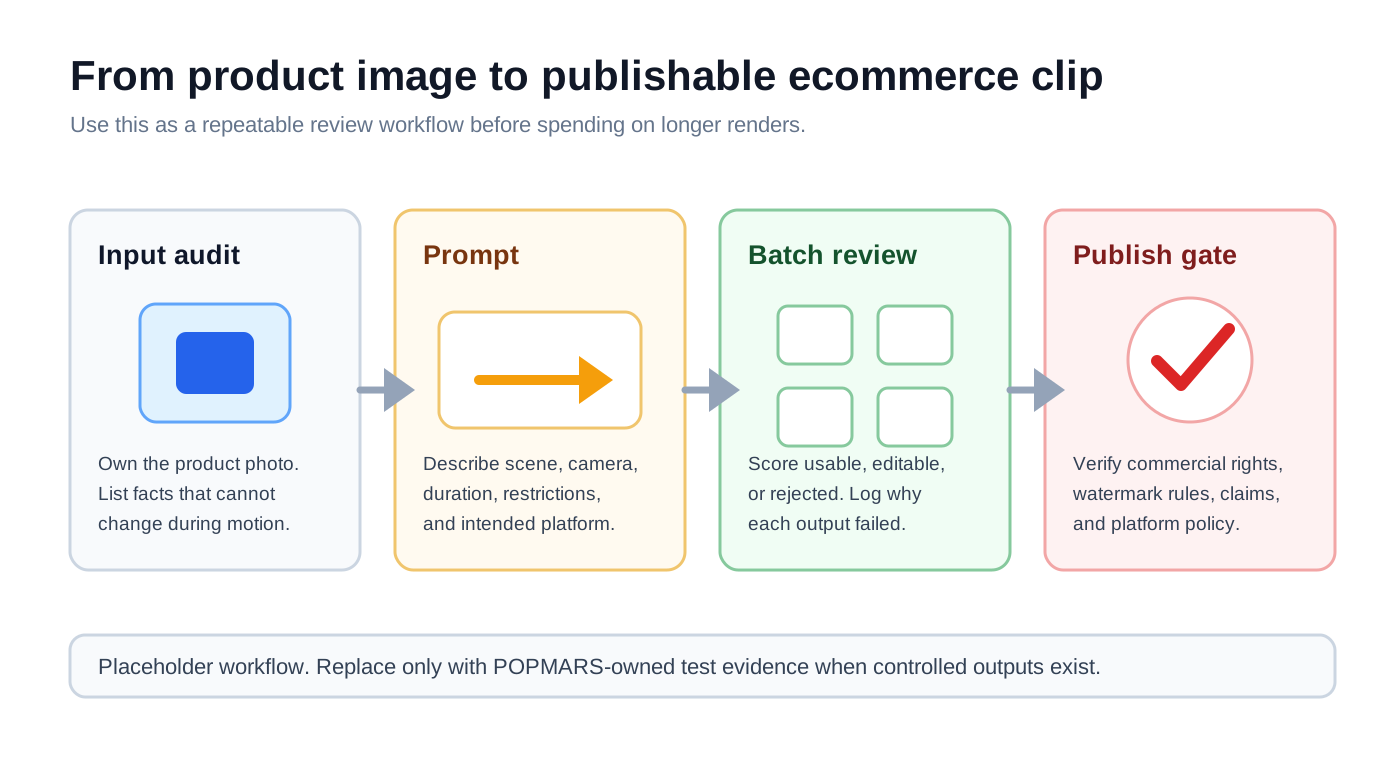
Step 1: Separate Product Facts From Creative Direction
Before prompting, list what must not change:
- logo placement;
- package text;
- ports, buttons, handles, straps, and material;
- product color and dimensions;
- regulated claims such as health, beauty, battery, safety, or financial promises.
Kling’s policy places responsibility for input rights and content review on the user, so avoid unauthorized celebrity images, competitor packaging, marketplace-watermarked images, and unlicensed model photos.
Step 2: Prompt for Motion, Not Hype
A reliable ecommerce prompt is operational, not poetic:
Subject: white wireless earbud charging case; keep the front logo unchanged
Scene: light gray tabletop, soft studio lighting
Camera: 5 seconds, slow push-in, slight product rotation, end on front view
Restrictions: no people, no extra brand marks, do not rewrite package text
Use case: first-screen product display video for Douyin and Xiaohongshu
This is an editorial test plan, not a verified result. For a real SKU, start with three or four 5-second low-risk motion tests before spending credits on longer or higher-resolution variants.
Step 3: Review a Grid, Not One Lucky Output
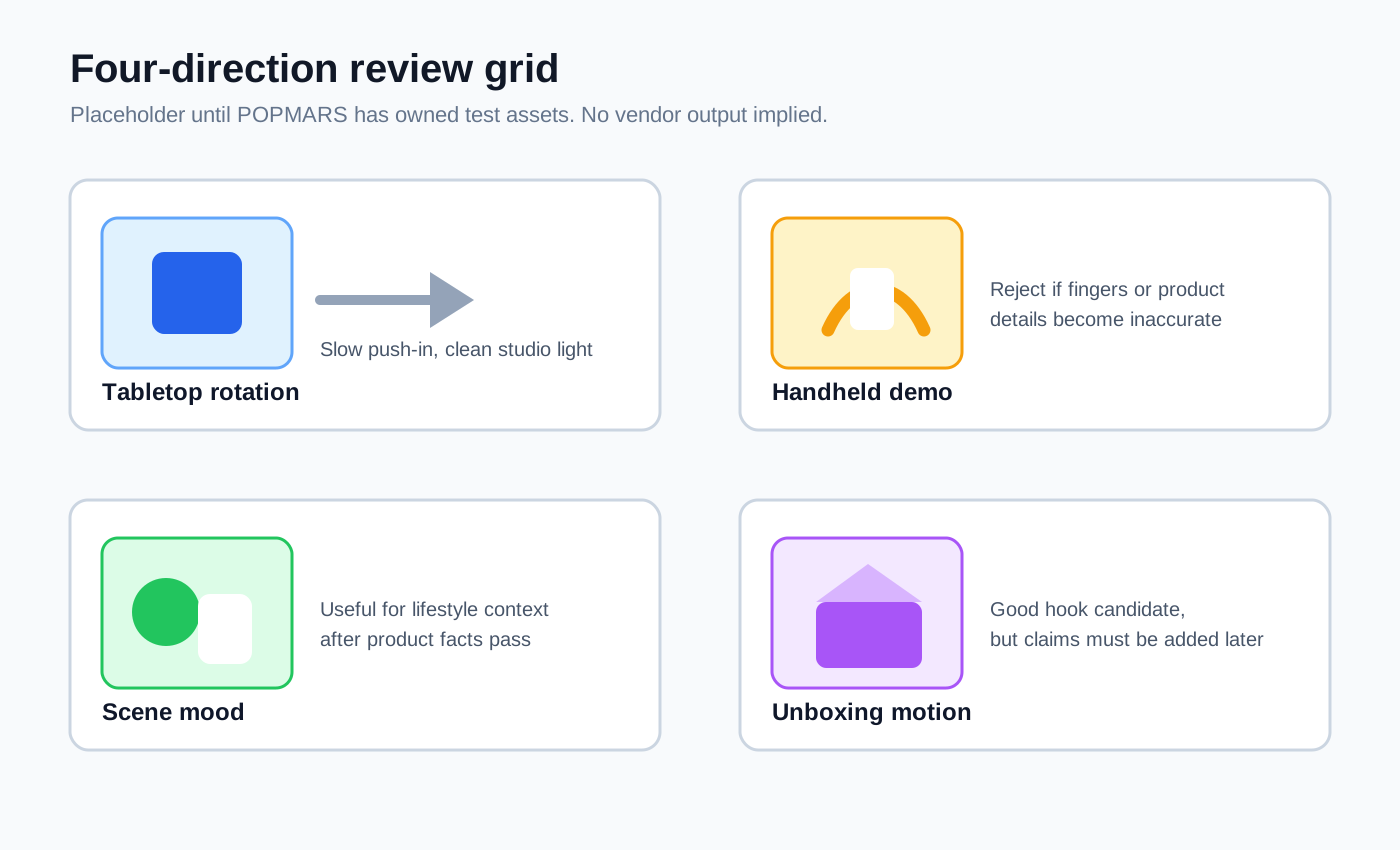
The first review should compare directions, not pick one beautiful accident. For each output, mark it as:
| Rating | Meaning | Next action |
|---|---|---|
| Usable | Product remains accurate and motion is clean | Move to 1080p, longer duration, or editing. |
| Editable | Product is mostly accurate but needs crop, captions, or post cleanup | Keep as a secondary candidate. |
| Rejected | Product facts drift, text changes, or claims become misleading | Do not publish; log the failure reason. |
Kling AI 3.0 Cost: Estimate in Credits First
Kling’s official VIDEO 3.0 guide lists per-second credit rates. As checked on May 3, 2026, VIDEO 3.0 supports Native Audio and No Native Audio at 1080p and 720p. Native Audio costs 12 credits/s at 1080p and 9 credits/s at 720p. No Native Audio costs 8 credits/s at 1080p and 6 credits/s at 720p. Voice tone control adds 2 credits/s.
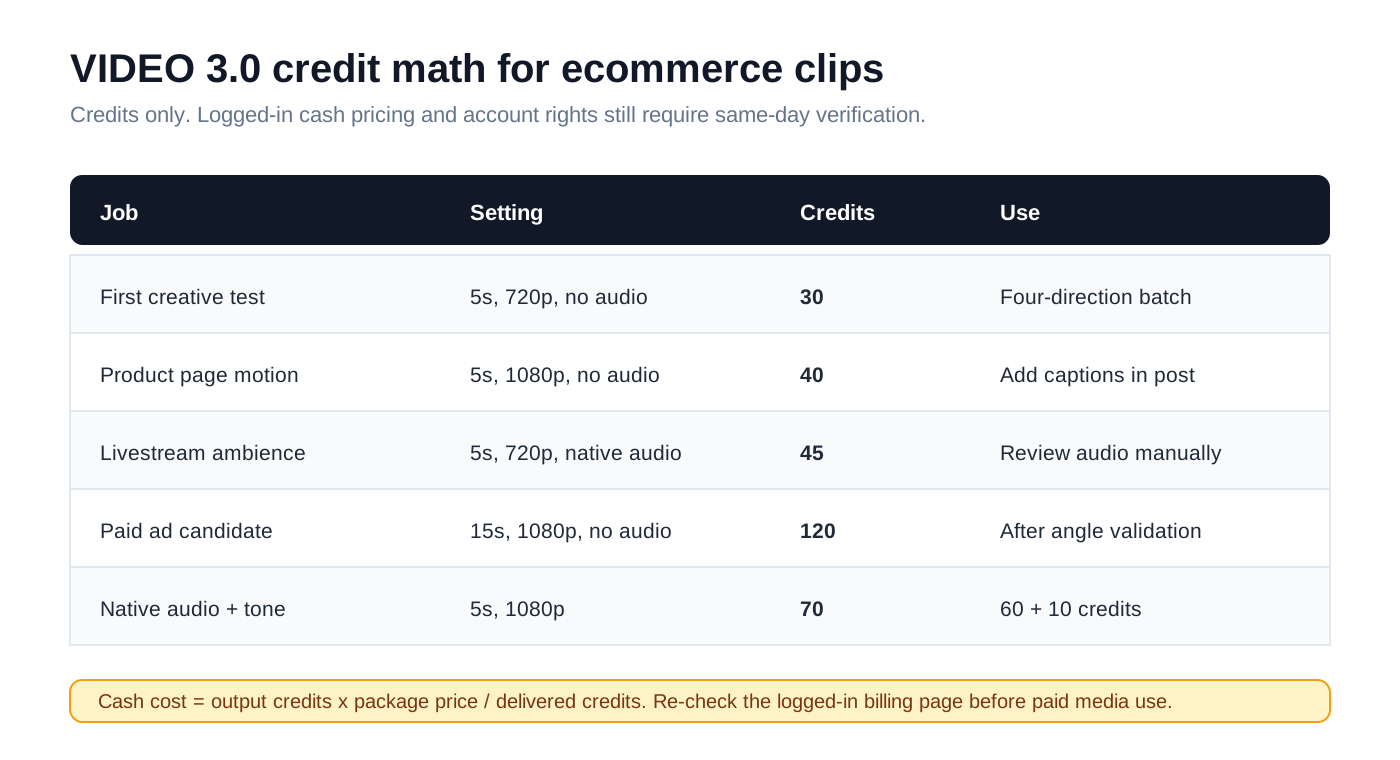
| Ecommerce job | Suggested setting | Estimated credits per output | Editorial note |
|---|---|---|---|
| First creative test | 5s, 720p, no native audio | 30 credits | Good for four-direction batch testing. |
| Product page motion asset | 5s, 1080p, no native audio | 40 credits | Add captions and voiceover in post. |
| Livestream ambience clip | 5s, 720p, native audio | 45 credits | Audio requires human review. |
| Paid ad candidate | 15s, 1080p, no native audio | 120 credits | Use after the product angle is validated. |
| Native audio plus voice tone control | 5s, 1080p | 70 credits | 60 credits plus 10 credits voice control. |
Do not hard-code cash pricing from screenshots. Membership pricing and credit packs can vary by region, account, and promotion. Use the logged-in official billing page on the publication date, then calculate: cash cost per output = output credits x (package price / delivered credits).
Commercial-Use and Factual Risks
Kling’s China-friendly context is useful, but it does not remove review work. Before using a generated clip in ecommerce, check:
- Commercial permission: Kling’s public policy language checked on May 3, 2026 says users may not use output commercially without written consent. Paid-plan, enterprise, or account-specific terms may change the answer, but ecommerce teams should verify this before ad use.
- Product consistency: inspect more than the first frame. Packaging text, logos, switches, ports, and material texture can drift during motion.
- Platform compliance: Douyin, Xiaohongshu, Taobao, Amazon, Shopify, and TikTok each have rules for claims, comparisons, prices, medical or beauty statements, and synthetic media labels.
- Watermark and attribution: watermark removal and AI-generation disclosure can depend on account rights, export settings, and platform policy. Verify the current account before publication.
Alternatives: When Not to Use Kling
| Need | Better-fit option | Why |
|---|---|---|
| Western creative team, film/VFX workflow | Runway Gen-4 | Better fit for English-language creative teams and controlled post-production. |
| Template-heavy social video effects | Pika | Useful when the main need is stylized social effects or quick template variations. |
| Fast Chinese short-video ideation | Hailuo AI or Jimeng AI | Worth testing for China-based teams that prioritize local access and Chinese prompt context. |
| API integration into an internal production system | Kling API or enterprise route | Use an enterprise/API route when queueing, logging, permission management, and billing controls matter. |
A Practical SKU Test Plan
For one product SKU, do not start with 20 finished ads. Start smaller:
- Prepare one clean product image, one optional scene reference, and a “do not change” list.
- Generate four 5-second 720p no-audio tests, roughly 120 credits total under VIDEO 3.0 rates.
- Pick one direction for 1080p or 15-second expansion.
- Add captions, price frames, voiceover, and platform overlays in CapCut, Premiere, Canva, or your ecommerce editor.
- Run commercial-permission, trademark, factual-claim, and platform-policy review before publishing.
Related POPMARS Guides
Need a broader comparison before choosing the tool? Read POPMARS’ ecommerce AI video comparison: AI Video Tools for Ecommerce Ads After Sora.
If your workflow touches apparel or model imagery, also review the try-on checklist: ComfyUI Virtual Try-On Workflow Comparison for Apparel Ecommerce.
Sources
| Source | Used for | Freshness |
|---|---|---|
| https://app.klingai.com/cn/quickstart/klingai-video-3-model-user-guide | VIDEO 3.0 modes and credit rates. | Checked 2026-05-03 |
| https://kling.ai/docs/specifications | API/product feature positioning, ecommerce and virtual try-on references. | Checked 2026-05-03 |
| https://kling.ai/docs/user-policy | Terms, input/output responsibility, and commercial-use risk. | Checked 2026-05-03 |
| https://ir.kuaishou.com/zh-hans/news-releases/news-release-details/keling30xiliemoxingquanmianshangxian | 3.0 launch context from Kuaishou. | Checked 2026-05-03 |
| https://help.runwayml.com/hc/en-us/articles/37327109429011-Creating-with-Gen-4-Video | Runway Gen-4 alternative. | Checked 2026-05-03 |
| https://pika.art/pricing | Pika alternative and plan/credit positioning. | Checked 2026-05-03 |
| https://hailuoai.video/ | China-aware alternative mention. | Checked 2026-05-03 |
| https://jimeng.jianying.com/ | China-aware alternative mention. | Checked 2026-05-03 |
Quality Note
This article is a workflow and verification guide, not a fabricated benchmark. Logged-in Kling membership cash pricing, watermark rights, commercial authorization, and account availability still require same-account verification before POPMARS or a merchant uses generated clips in paid advertising.
Newsletter
Get practical AI workflows in your inbox.
A weekly digest of AI tools, workflow breakdowns, and reusable templates from POPMARS.